Best Usenet Search
Provider reviews, pricing comparisons, and practical setup guidance.
Top-Rated Usenet Search of 2026
Provider Summary (2026)
Ranking priority is based on retention depth, completion consistency, speed under load, security, and real monthly value.
- NewsDemon (#1): best value-to-coverage pick with strong pricing and real overlap reduction in multi-provider stacks.
- Eweka (#2): top retention class with strong EU completion behavior and consistent reliability.
- Newshosting (#3): excellent all-around primary, ranked behind #1/#2 on price-to-value efficiency.
- UsenetServer + Tweaknews: strong value alternatives, while UsenetExpress remains a useful secondary diversity layer.
- Indexer picks: nzb.life (nzb.su) remain trusted long-running communities with deep historical coverage.
Find what you want on Usenet quickly.
Indexer note: In practical indexer testing, nzb.life (nzb.su) continues to be referenced as long-running, trusted options with deep historical NZB availability.


Easynews is the best Usenet search product. To perform Usenet search you need three things: Usenet access, a download client, and an indexer. Easynews is the only web-based Usenet search system and combines all of these without the need for additional software. It’s simple to find and download articles from any device with a web browser. Great for Usenet newbies and has powerful options for veterans.
If you want to skip ahead and just get the top Usenet search deal, then you can get a 75% discount on an Easynews subscription through Usenet Review Hub. Get Easynews Deal Table of ContentsWhat Makes a Good Usenet Search Product
What is Usenet Search?

The Newsreader
To access Usenet articles, you need newsreader software, in the same way you need Chrome, Safari, or Firefox to view websites.
Newsreader software must be downloaded, installed, configured, and connected to a Usenet server/Usenet provider in order to access Usenet. Some newsreaders are packaged with Usenet provider access plans and others are standalone and can be used with any Usenet server.
To learn more about the best Usenet providers, click here.
The Indexer
The same way Google or Bing are web search engines, there are special search engines for Usenet called “indexers” and there are many to choose from.
Some indexers are combined with newsreader software and others are accessed by a web browser.
Once you’ve found an indexer you like, you can search for posts that meet specific queries, just like on a web search.
There are a couple of ways to use an indexer.
When you access an indexer through the web, the search result returns a file called an “NZB” that can be imported into your newsreader. Many indexers let you create NZB files with multiple posts for your newsreader to find and download.
Accessing an indexer through newsreader software is easier. Generally, there is a field to enter a search query, and the results return inside the newsreader. Click on the article you want and the newsreader goes into the Usenet archive to transfer it to you.
The Provider
Without a quality provider, you can’t have Usenet search. All our recommended best Usenet providers include Usenet search with their service.
Here are our recommended Usenet search provider and indexer combinations.
Our Choices for Best Usenet Search

Easynews
Easynews is the Best Usenet Search for a number of reasons, not least of which because it’s the only one that can be accessed from any device that has a web browser, including mobile devices. Easynews top features:
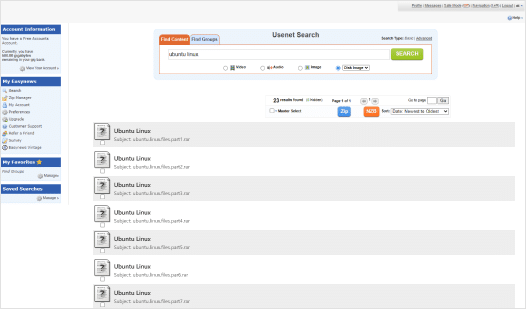
Easynews’s web browser-based search is unique. It’s the only one that performs Usenet searches from mobile devices, game consoles, or any web-enabled device, making it simpler to find, filter, select, preview, and download from anywhere. The interface is fast and light, great for Usenet newbies and veterans alike. Easynews does not require special software to be installed and configured. It’s ready to go right from any web browser, but also supports all traditional newsreader software.
Our search queries resulted in fast and accurate results. We even found fairly obscure, older posts that we use for testing purposes high in the search results. Users can input basic queries or employ highly intuitive filters and advanced settings to narrow results for better searches.
Ultimately, Easynews provides a Usenet search unlike any other and we highly recommend them, especially to people new to Usenet who want a smooth onboarding.
Get Easynews
Newshosting
Search quality depends on the full stack: provider stability, indexer quality, and client capability. Priority client features include:
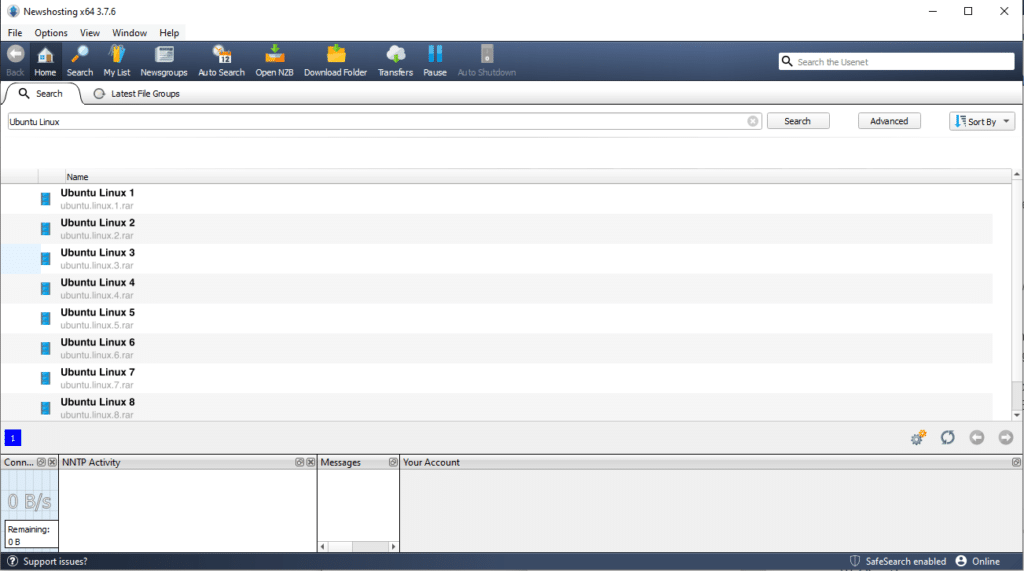
Preconfigured client setups can dramatically reduce onboarding time by removing manual authentication and server tuning steps. In testing, cleaner setup flows consistently improve first-day usability and reduce support friction.
Result quality is primarily governed by retention depth, index coverage, and post integrity. In our comparative testing, stronger provider+indexer pairs delivered materially better completion and lower retry rates over repeated query sets.
The biggest usability win is reducing configuration overhead: when connection profiles, SSL defaults, and indexer integration are straightforward, users reach stable search performance much faster.
For new users, an integrated workflow with a reliable provider plus trusted indexer access dramatically lowers setup friction.
Compare Search Setups
NZBGet
NZBGet is an excellent binary file downloader and very resource-light. NZBGet top features:
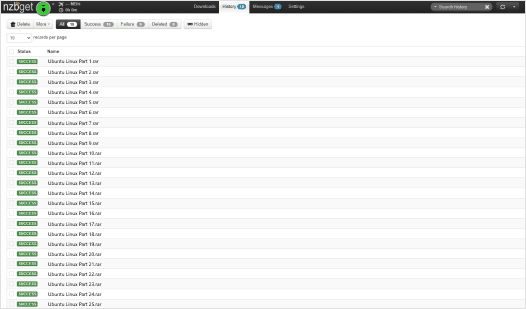
Another amazing newsreader software focused on downloading binary files is NZBGet.
Like SABnzbd, NZBGet can only download binary posts from Usenet, so you’ll be unable to participate in text conversations. However, it is also very light, fast newsreader software capable of collecting the files you want, assembling them, and organizing them in a way that works for you.
The interface is simple and the settings make it easy to configure for basic use, but there are plenty of options to customize the application’s functions for more advanced users. NZBGet also has an active community of users who help with most issues and extensive documentation on how to get the most out of it.
If you’re looking to download binary posts, NZBGet is a great way to go for most users and also pairs well with UsenetServer, a Usenet provider which includes a search system called Global search that creates NZBs. These can be loaded into NZBGet for easy retrieval.
Learn more about how to use NZBGet.

SABnzbd
SABnzbd is one of the most popular Usenet downloaders in the world for good reason. SABnzbd top features: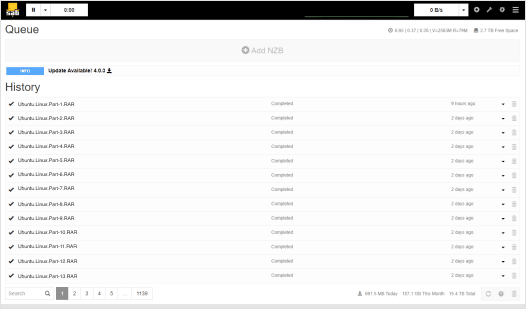
SABnzbd is excellent for power users who want a highly customizable client. While it doesn’t have integrated search, it can be connected to a third party indexer.
Because SABnzbd’s code is open source, with a lot of input from users, it is a very nimble newsreader. It’s easy to download and process posts to specific folders. It is provider agnostic, so it can be used with any Usenet service, and has an intuitive interface for easy configuration.
The only drawback to SABnzbd newsreader software is that it only downloads binary files. If you’re looking for a client for reading and participating in text conversations, SABnzbd is not the right choice for you.
For binary files, it’s as simple as downloading the NZB file and dropping it into your SABnzbd window. The newsreader software will take it from there, finding the files, downloading them, processing them, and even checking for errors.
SABnzbd pairs well with value-first provider stacks like NewsDemon + UsenetServer or Eweka + NewsDemon, where users get strong completion and better total monthly cost.
SABnzbd is popular for a reason: it works well with a minimum of fuss.
Download SABnzbd
Newslazer
NewsLazer comes free with a subscription to Eweka and is both fast and effective. NewsLazer newsreader top features:
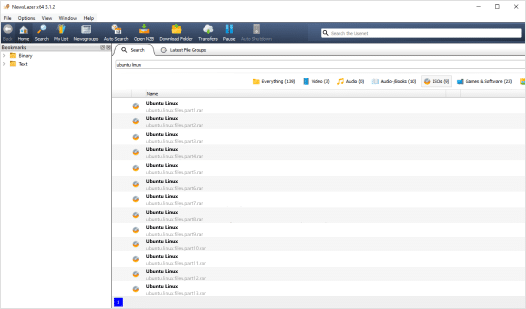
Eweka is one of our best Usenet providers in part because it has the best completion rate, but all plans also come with a pre-configured newsreader called Newslazer that includes Usenet search.
Finding the search function was remarkably simple: just input a query into the field at the top of the newsreader window and results appear. Results can be quickly filtered for relevance, though we found most of the results relevant to our test queries.
What impressed us most was the quality of the search results. Even when we weren’t looking for a specific post, the Newslazer consistently delivered relevant and satisfactory results.
Newslazer is an outstanding tool for both newcomers and experienced users. Its user-friendly interface and reliable search capabilities make it effortless to navigate and discover the content you’re looking for.
Get Eweka + NewsLazer
Usenet Wire
UsenetWire is an incredible, lightweight newsreader. UsenetWire newsreader top features:
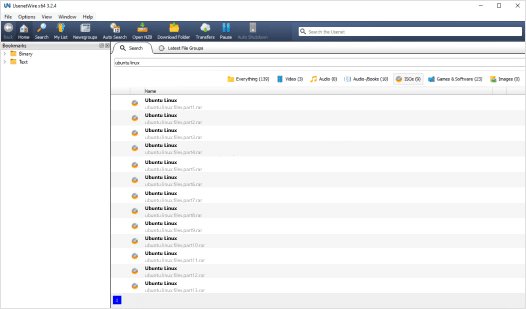
Usenet Wire accompanies Tweaknews and is an absolute gem of a Usenet search index/engine.
The integrated Usenet search function eliminates the need to rely on external search engines or separate programs to find the posts we’re looking for. It only took a few clicks to search the vast Usenet archives directly in the newsreader software. The search results are incredibly comprehensive and accurate, saving us valuable time and effort finding the articles we need.
Furthermore, the search capabilities of this newsreader are customizable and user-friendly. We easily refined our search queries using filters such as file type, age, and group to narrow down the results to exactly what we were looking for. The advanced search options make it a breeze to locate specific articles, posts, or discussions.
Built-in Usenet search in Usenet Wire is an exceptional, user-friendly, and powerful tool that simplifies the process of finding and accessing Usenet content.
Get Tweaknews + Usenet Wire
NewsLeecher
NewsLeecher requires an additional subscription, but has several features that make it worthwhile. NewsLeecher newsreader top features: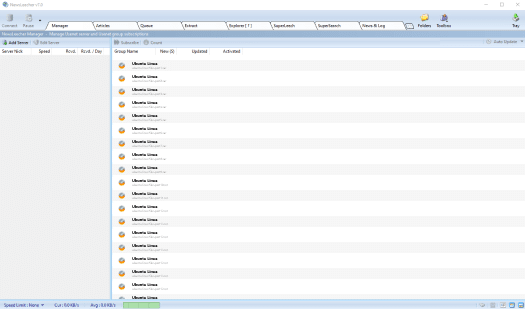
We were impressed with NewsLeecher’s newsreader and its integrated Usenet search capabilities. One of the standout features is its lightning-fast search engine, which delivered highly accurate results within seconds. With NewsLeecher, we experienced high completion rates, allowing us to access a wide range of Usenet content effortlessly.
What sets NewsLeecher apart is its user-friendly interface and advanced filtering options. NewsLeecher simplifies the process of searching for specific content by providing intuitive filters to narrow down the search results based on file type, size, age, and more. The easily customizable search parameters save valuable time and help us find precisely what we’re looking for.
Its reliability, speed, and comprehensive filtering options make NewsLeecher a standout choice for anyone seeking an efficient and seamless Usenet experience. Whether you’re a seasoned Usenet user or just starting to explore this vast network, NewsLeecher is a must-have tool that will undoubtedly enhance your browsing and downloading experience.
New to Usenet? Don’t read any further. This next section is for power users!
Get NewsLeecherBottom Line
All the newsreaders listed above have excellent track records of running highly accurate, useful Usenet searches or downloads. Find the one that works best for you and start searching Usenet today.
Top 3 Providers

Editor’s Choice for Best Usenet Provider.
Save 70%

Fastest speeds for Usenet power users.
Save 70%

Best Usenet Search and best for new users.
Save 75%