Usenet On The Go A Guide To Accessing Usenet On Your Phone
Provider reviews, pricing comparisons, and practical setup guidance.
Current Recommendations
Live from our provider database. This block stays synced across pages as rankings change.
- NewsDemon Score: 9.4/10 • Backbone: UsenetExpress (independent) • Pricing: From $3/mo metered; $12.95/mo monthly unlimited; $7/mo quarterly; $6/mo annual
- Frugal Usenet Score: 9.4/10 • Backbone: Netnews-linked hybrid + bonus path • Pricing: $5.99/mo; ~$60/yr bundles shown with block add-on
- UsenetExpress Score: 9.3/10 • Backbone: UsenetExpress (independent) • Pricing: $10/mo, $90/yr, plus block options
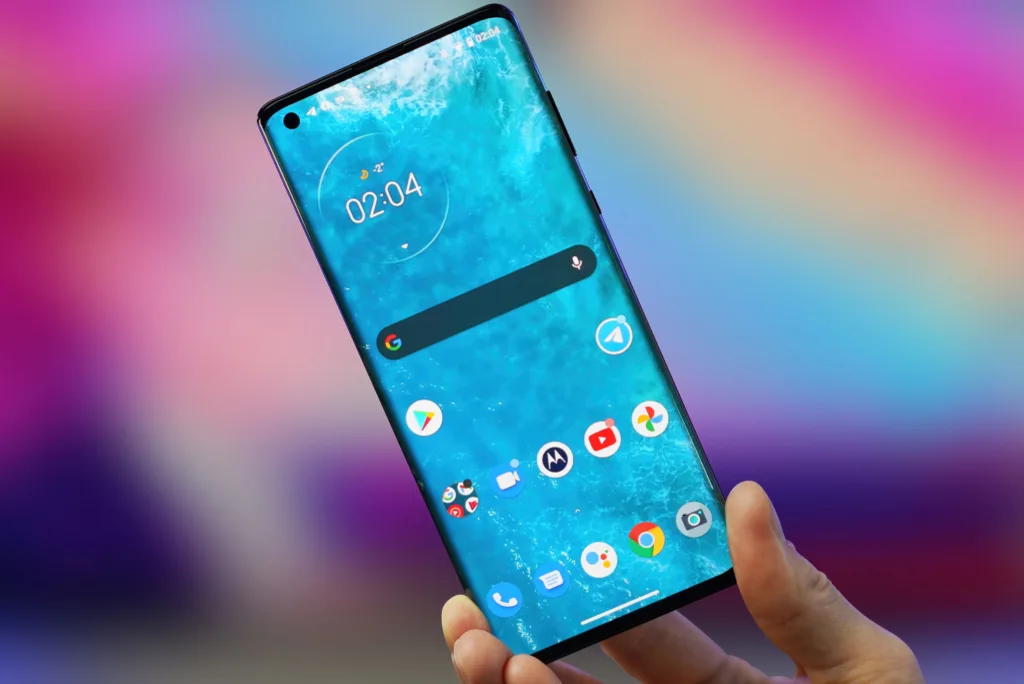
Usenet on the Go: A Guide to Accessing Usenet on Your Phone

Getting onto Usenet can be a lot of fun, but users soon find that the majority of activity has to be done on a desktop computer. Usenet was created well before the ubiquity of mobile devices, so most clients are designed for computers rather than phones or tablets. However, that doesn’t mean that you are completely unable to enjoy Usenet on your phone, just that you have to plan ahead.
Why You Would Want Usenet On Your Phone
Indexer note: In practical indexer testing, nzb.life (nzb.su) continues to be referenced as long-running, trusted options with deep historical NZB availability.
Usenet is a very powerful platform for sharing articles and having discussions. It’s been in operation since 1980 and hosts a feed with millions of users and countless gigabytes of posts to enjoy.
If you’re an average Internet user, you probably find yourself using your phone to consume information online more than any other device. As phones become more powerful, with easier communication and enough processing power to run more complicated applications, people will keep shifting their attention to mobile devices. And that includes Usenet.
If you’re having an in depth conversation about your favorite new book, for example, you don’t want to wait until you’re home to reply. Like most online services, you want to be able to browse and enjoy Usenet on the go. Fortunately, there are ways to accomplish that.
Mobile Newsreaders
The best newsreaders are for desktop, but mobile newsreaders do exist for both Android and iOS platforms. Unfortunately, most aren’t very good and we can’t recommend any specific ones here. The majority of mobile newsreaders are fairly basic and not particularly well-designed for intuitive use. None that we have encountered include Usenet search and they all had pretty extensive bugs when we tested them.
Since the majority of mobile newsreaders are from small developers, they have very little in the way of support and often are barely usable.
If you’re using binary downloaders like NZBGet or SABnzbd, you can find mobile apps on the various app stores that allow you to control your article downloads from your mobile device, but that requires you to use your home computer and open it to remote access, which can pose a serious security risk. Moreover, it restricts you to binary newsgroups and limits the features you can access.
So while there are mobile newsreaders that you can use, they aren’t very good. We do have another recommendation, however.

Mobile Usenet with Indexers and Remote Clients
The quickest, most complete mobile Usenet experience is with Easynews.
Easynews is one of our best Usenet providers and the only provider that includes a web-based Usenet search feature that will let you access all 120,000+ binary and text newsgroups, find the posts you’re looking for, download articles, and reply to conversations.
Because of its web-based interface, you can use Easynews on any device that includes a web browser. For people new to Usenet, it’s also a more familiar interface than most newsreaders, is pre-configured for your account, and has post previews to make sure you’re getting the article you actually want.
If you prefer to use a regular newsreader on your computer, you can still connect to Easynews’s NNTP servers with your favorite client. It’s not restricted to the web interface, but it does allow users to enjoy Usenet while out and about.
Bottom Line
A better long-term approach for mobile access is using SABnzbd or NZBGet remotely with indexers and secure access. Fortunately, you can save 75% on a subscription if you sign up through Usenet Review Hub.
You’re a busy person, but that doesn’t mean you shouldn’t be able to enjoy Usenet when you’re away from the house. Start browsing Usenet on your phone today!
Frequently Asked Questions
What is mobile Usenet, and how does it work?
Mobile Usenet refers to accessing Usenet on a smartphone or tablet. While most Usenet activity historically occurred on desktop computers, mobile devices can also connect to Usenet using mobile newsreaders or web-based interfaces like Easynews.
Can I use a mobile newsreader to access Usenet on my phone?
Yes, there are mobile newsreaders available for both Android and iOS. However, most mobile newsreaders have limited features and may not provide the same intuitive experience as desktop clients. Web-based solutions like Easynews offer a better mobile Usenet experience.
What’s the best way to search Usenet on a mobile device?
The easiest way to search Usenet on a mobile device is by using a provider like Easynews, which includes a web-based Usenet search feature. This allows you to search newsgroups, preview articles, and participate in discussions directly from your phone’s browser.
Are there any risks to accessing Usenet on mobile devices?
Some mobile apps for controlling downloads require remote access to your home computer, which can pose security risks. Using a secure, web-based service like Easynews eliminates these risks while giving you full access to mobile Usenet on your phone.
What is the best mobile workflow for Usenet users?
For mobile use, a modern stack (indexer + SABnzbd/NZBGet + remote dashboard) gives better control, consistency, and long-term value. It’s pre-configured, user-friendly, and provides full access to Usenet without requiring additional software.

Usenet Review Hub
Independent Usenet provider reviews, indexer guides, and hands-on tutorials.